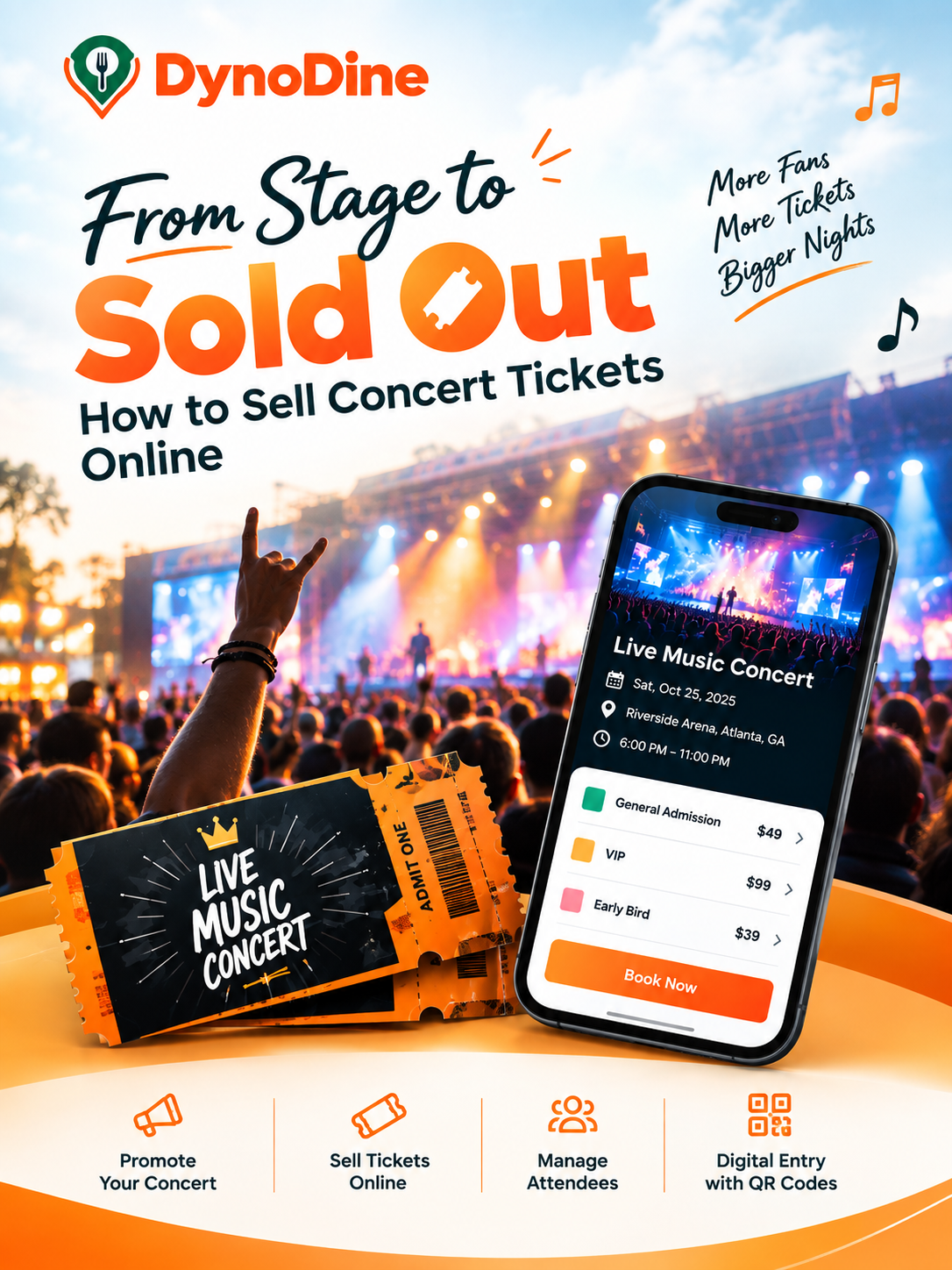
From Stage to Sold Out: How to Sell Concert Tickets Online
How to Sell Concert Tickets Online for Your Event
Planning a concert is exciting — but filling the venue is a whole different challenge.
You may have the artist, the venue, the stage, the sound, and the perfect lineup ready to go. But how will people discover your concert? Where will they buy their tickets? How will you keep track of ticket sales? And what happens when hundreds of fans arrive at the entrance?
That’s where online concert ticketing can make a difference.
With DynoDine, you can bring your concert listing, ticket sales, promotion, and attendee management together, so you can spend less time managing the ticketing process and more time creating an unforgettable concert experience.
🎤 Have a Concert Coming Up?
Whether you're putting together a live band performance, DJ night, cultural music show, artist tour, comedy-and-music night, or a large music festival, your first priority is getting your concert in front of the right audience.
A strong online presence gives potential attendees a place to:
Discover the concert → Explore the experience → Choose their ticket → Book online → Receive their ticket → Show up and enjoy the show
And the process starts with creating an exciting concert listing.
1. Put Your Concert on the Map
Your concert listing is your digital first impression.
Instead of making potential attendees search through multiple posts, messages, or websites for information, bring everything together in one place.
Add the details people want to know:
- Concert title
- Date
- Start and end time
- Venue
- Location
- Complete address
- City, State, and ZIP code
But don't stop at the basic information.
Your concert description should make people want to be there. Highlight the artist, the type of music, the atmosphere, special performances, and what attendees can expect from the night.
The goal is not simply to tell people that a concert exists.
Make them picture themselves being there.
2. Decide How Big Your Crowd Can Be
Every concert has a different setup.
A small intimate performance, a packed indoor music show, and a large outdoor concert all have different capacity requirements.
DynoDine lets organizers specify the Attendance Capacity for their concert. If your event does not have a fixed attendance limit, you can choose No attendance limit where appropriate.
You can also define details such as:
- Age requirements
- Music/event category
- Indoor or outdoor setting
- Relevant tags
- Whether booking is required
- Walk-in availability
- Alcohol availability
- Waiver requirements
- Credit card fee options
For a music event, relevant tags can help communicate the experience at a glance — such as live music, concert, DJ, performance, nightlife, or festival.
3. Turn One Concert Into Multiple Ticket Experiences
Not every fan wants the same concert experience.
Some people want the lowest available price. Others want premium access. Some may want to purchase early before prices change.
Give them choices.
Create ticket categories such as:
Early Bird
For fans who want to lock in their tickets early.
General Admission
For standard concert entry.
VIP
For attendees looking for a premium experience.
Premium or Group Tickets
For special access or people attending together.
Each ticket type can have its own name, price, description, quantity, and availability period.
This allows you to structure your concert sales around the way you want your audience to purchase.
4. Create Scarcity Without Losing Control
A concert can sell quickly — and that's great.
But you still need control over how many tickets are being sold.
DynoDine gives you tools to manage ticket quantities and purchasing limits.
You can determine:
- How many tickets are available
- Minimum tickets required per purchase
- Maximum tickets allowed in one booking
- Whether package capacity should be enforced
- When a ticket type goes on sale
- When that ticket type stops being available
For example, you could release a limited number of Early Bird tickets first and make another ticket category available afterward.
This gives you more flexibility when planning your concert's ticket-selling strategy.
5. Give Your Sponsors a Place in the Spotlight
Concerts often have more than just performers behind them.
Sponsors, partners, and supporting businesses can help make the event possible.
DynoDine includes a Sponsors & Partners section where you can display participating organizations and their logos on your concert listing.
You can separate them into:
- Main Sponsors
- Supporting Sponsors
- Additional Partners
It's a simple way to recognize the businesses supporting your concert while giving them visibility alongside your event.
6. Make Your Concert Look Impossible to Ignore
People scroll quickly.
A plain event listing can easily get overlooked, especially when your audience is choosing between multiple entertainment options.
Use your concert imagery to create anticipation.
DynoDine allows you to upload up to 10 event images, giving you room to showcase different aspects of your concert.
Consider using:
- Headliner photographs
- Artist lineup graphics
- Concert posters
- Stage photographs
- Venue images
- Previous event photography
- DJ or performer visuals
- Promotional artwork
Your images should communicate the energy of the night before someone even reads the description.
Show the experience. Sell the excitement.
7. Make the Important Rules Clear Before the Purchase
Nobody wants confusion at the entrance.
Before ticket sales begin, make sure your attendees can understand the rules associated with your concert.
DynoDine provides a space for event-specific Terms and Conditions and an Additional Waiver when required.
Depending on your concert, this information may include:
- Admission requirements
- Ticket policies
- Venue rules
- Age restrictions
- Schedule-related policies
- Attendee responsibilities
- Other conditions of entry
Putting this information into the ticketing experience helps attendees know what to expect before they arrive.
8. Give Your Concert a Final Check
Before your concert goes live, take a final look at everything.
Ask yourself:
Is the artist information correct?
Is the date and venue correct?
Are the ticket prices right?
Is the available quantity correct?
Does each ticket type clearly explain what it offers?
Are the concert images ready?
Are your terms and conditions included?
Once everything looks right, create your concert listing.
Your event is now ready to be discovered.
9. Don't Just Sell Tickets — Watch the Sales
Once your concert is live, you need to know what's happening behind the scenes.
Are tickets moving?
Which ticket categories are selling?
How many tickets are left?
How many orders have been placed?
DynoDine provides organizers with access to ticket and attendee information, including:
- Tickets sold
- Remaining tickets
- Orders
- Attendee information
- Ticket categories
- Sales activity
This gives you a clearer picture of your concert ticket activity as the event gets closer.
10. Know Who Is Coming to Your Concert
A sold-out concert can mean a lot of people arriving at once.
Having attendee information organized can make the process easier.
You can use attendee information for:
- Guest list management
- Ticket verification
- Capacity monitoring
- Registration records
- Entry management
- Post-event reporting
Instead of relying entirely on scattered lists or manual records, your concert information can be organized digitally.
11. Replace Paper Tickets With Digital Entry
The ticket-buying experience doesn't end after payment.
Your attendees still need a convenient way to get into the concert.
Digital tickets allow guests to present their ticket when they arrive. QR codes can also be used during check-in so staff can verify tickets and confirm entry.
That means less time searching through paperwork and a more organized entrance process.
From ticket purchase to the first song — keep the experience digital.
12. Let DynoDine Help Put Your Concert in Front of More People
This is one of the most important parts of selling concert tickets online.
Creating a fantastic concert doesn't automatically mean people will find it.
Your audience needs to see it.
DynoDine can help promote your concert through multiple channels, including:
📱 Social Media Promotion
Get your concert promoted where people already spend time discovering entertainment.
📧 Email Marketing
Use email campaigns to put your concert and ticket information in front of relevant audiences.
🔎 Event Discovery
Make your concert available for people browsing events through the DynoDine platform.
📍 Local Audience Promotion
Help connect your concert with audiences in relevant local areas.
📣 Digital Marketing
Give your concert additional promotional exposure through digital marketing campaigns.
🤝 Community & Local Promotion
Increase visibility through community-focused event promotion.
⭐ Partner & Influencer Promotion
Where applicable, your concert may also benefit from partner or influencer promotion.
🎟️ Featured Event Visibility
Where applicable, event listings and featured placement can provide additional exposure.
The idea is simple:
You focus on putting on the show. DynoDine helps put the show in front of potential attendees.
Why Sell Your Concert Tickets Through DynoDine?
Organizing a concert involves much more than selling an entry ticket.
You need to attract an audience, present your performers, organize ticket categories, control capacity, communicate event policies, monitor sales, manage attendees, and prepare for the crowd arriving at the venue.
DynoDine brings these pieces together.
You can use the platform to:
🎤 Showcase your concert
Present your artist, venue, event details, and visuals.
🎟️ Build your ticketing setup
Create different ticket categories, prices, quantities, and availability periods.
📢 Promote your concert
Use multiple promotional channels to increase event visibility.
📊 Monitor ticket activity
Keep track of sales, orders, availability, and attendee information.
📱 Manage digital entry
Give attendees digital tickets and support QR-based ticket verification.
👥 Organize your audience
Keep attendee and registration information easier to manage.
Your Concert Deserves a Crowd
You've already done the hard part — creating the concert.
Now give people a reason to discover it, a simple way to book their tickets, and a smooth experience from purchase to entry.
With DynoDine, you can bring your concert discovery, promotion, online ticketing, and attendee management together in one place.
Whether you're preparing for a local artist night, a DJ performance, a cultural music celebration, or a major live concert, DynoDine can help you take your event from “We're organizing a concert” to “Tickets are now available.”
🎶 Create the Show. Build the Buzz. Sell the Tickets.
List your concert on DynoDine and start connecting your event with the audience waiting for their next live music experience.