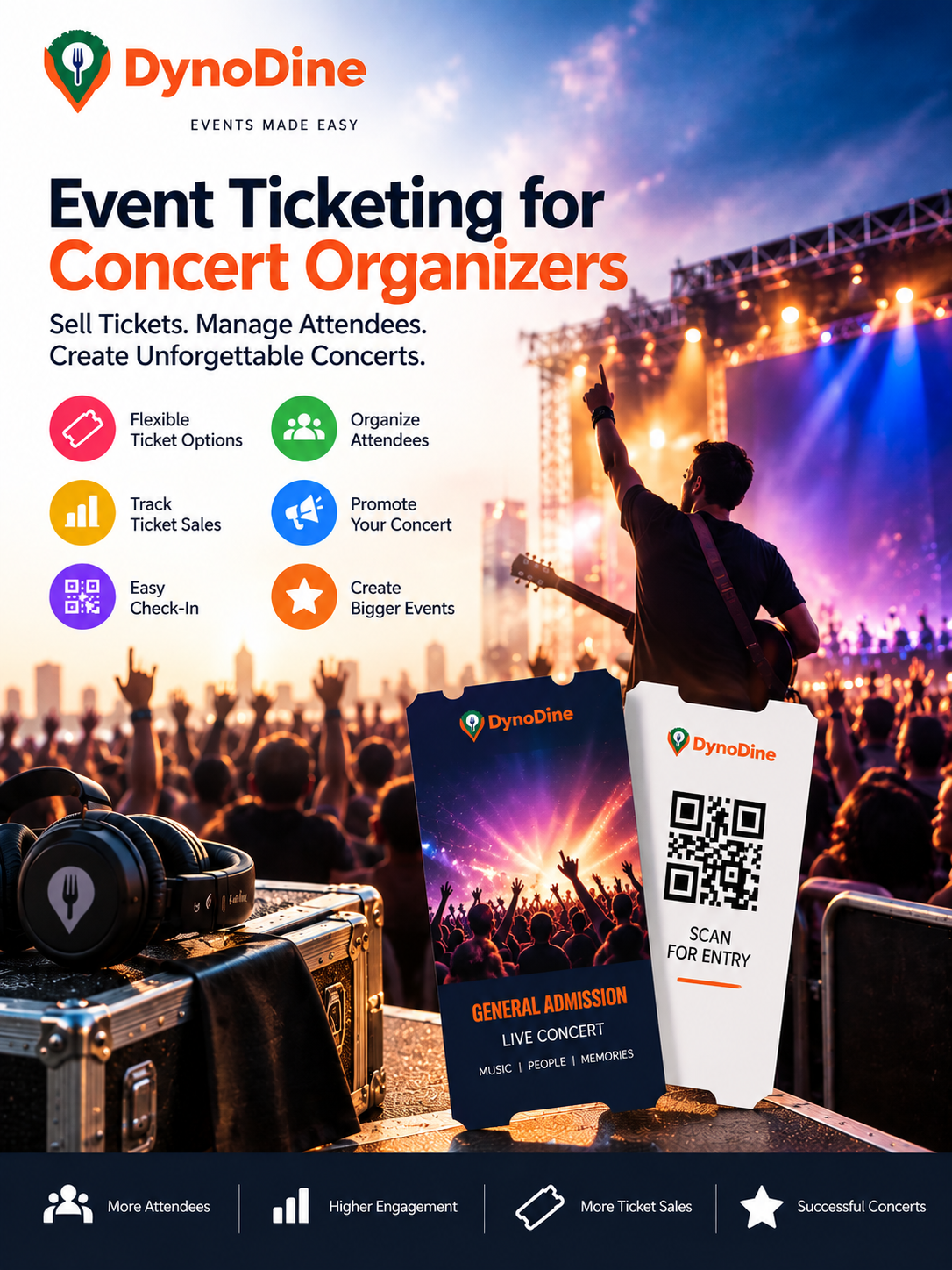
Event Ticketing for Concert Organizers
Event Ticketing for Concert Organizers: A Smarter Way to Sell Tickets and Manage Your Crowd
Organizing a concert is about creating an experience people will remember. But behind the lights, music, artists, and excited crowd is another important part of the event — ticketing.
From putting tickets on sale to managing hundreds or thousands of attendees at the entrance, concert organizers need a ticketing process that is simple, organized, and easy to manage.
With DynoDine, concert organizers can bring event listings, online ticket sales, promotion, attendee management, and digital check-in together in one place.
🎤 Your Concert Is Ready. Now, How Will You Fill the Venue?
You may already have the artist booked, venue confirmed, stage planned, and sound system ready.
The next challenge is getting people through the doors.
Your audience needs an easy journey:
Discover Your Concert → View Event Details → Choose a Ticket → Buy Online → Receive a Digital Ticket → Check In → Enjoy the Show
A well-organized online ticketing system helps make that journey easier for both the attendee and the organizer.
🎟️ Create Tickets That Match Your Concert
Every concert audience is different, so you don't have to sell every attendee the same type of ticket.
With DynoDine, organizers can create multiple ticket categories based on the concert experience they want to offer.
For example:
Early Bird Tickets
Reward fans who book ahead with a special early ticket option.
General Admission
Create your standard entry ticket for the main concert experience.
VIP Tickets
Offer premium ticket options for attendees looking for an upgraded experience.
Group or Premium Tickets
Create additional ticket options for groups or special access where appropriate.
For each ticket category, organizers can define the ticket name, price, quantity, description, and availability period.
This gives you greater control over how tickets for your concert are released and sold.
⏰ Control When and How Your Tickets Are Sold
Selling concert tickets isn't only about setting a price.
Organizers also need control over availability.
You can structure your ticketing by deciding:
- How many tickets are available
- When ticket sales begin
- When ticket sales close
- Minimum ticket quantities per booking
- Maximum tickets allowed per purchase
- Capacity for individual ticket categories
For example, you could release a limited batch of Early Bird tickets, followed by General Admission and VIP options.
This makes it easier to build a ticketing strategy around your concert.
📱 Give Fans an Easy Digital Ticket Experience
Once someone buys a ticket, the experience should remain simple.
Digital tickets give attendees a convenient way to keep their ticket available on their phone instead of relying entirely on printed tickets or manual booking records.
When concert day arrives, attendees can present their digital ticket at the entrance.
QR codes can also support the check-in process, helping event staff verify tickets and confirm entry.
Less paperwork. Faster verification. A more organized entrance.
📊 See What's Happening With Your Ticket Sales
Once tickets go live, organizers need visibility into how sales are progressing.
Instead of wondering whether tickets are moving, you can keep important ticket activity organized in one place.
DynoDine can help organizers keep track of information such as:
Tickets Sold • Remaining Tickets • Orders • Ticket Categories • Attendee Information • Sales Activity
This can help you understand your concert's ticket activity as the event date approaches.
👥 Know Your Audience Before the Doors Open
Imagine hundreds of people arriving at your venue within a short period.
Without organized attendee information, entry can quickly become difficult to manage.
Keeping attendee information digitally organized can support:
- Guest list management
- Registration records
- Capacity monitoring
- Ticket verification
- Entry management
- Post-event reporting
Your team can spend less time working through scattered records and more time managing the actual event.
📣 Don't Just List Your Concert — Promote It
A great concert still needs an audience.
Creating an event page and waiting for people to discover it may not be enough. Your concert needs visibility across the channels where potential attendees are discovering things to do.
DynoDine can help promote concerts through multiple channels, including:
Social Media Promotion — Increase your concert's visibility across social platforms.
Email Marketing — Put event and ticket information in front of relevant audiences.
DynoDine Event Discovery — Help people browsing events discover your concert.
Local Audience Promotion — Connect your concert with relevant audiences in your area.
Digital Marketing Campaigns — Expand your event's online promotional reach.
Community Promotion — Build awareness through local and community-focused promotion.
Partner & Influencer Promotion — Where applicable, extend your reach through partners and influencers.
Featured Event Visibility — Where applicable, increase exposure through featured event placement.
The goal is simple:
You create the concert. DynoDine helps you connect it with potential attendees.
🖼️ Make Your Concert Page Feel Like the Event
People should feel the energy of your concert before they ever arrive at the venue.
Use strong visuals and clear information to show attendees what they can expect.
Your concert listing can include details such as:
Artist or Performer • Date & Time • Venue • Address • Event Description • Concert Images • Ticket Options • Age Requirements • Terms & Conditions
Use artist photographs, previous concert images, stage visuals, lineup graphics, posters, and promotional artwork to bring the event to life.
Don't just tell people there's a concert.
Give them a reason to want to be there.
🚪 From the First Ticket Sold to the Final Check-In
Concert ticketing shouldn't feel like several disconnected jobs.
The event listing shouldn't be in one place, ticket records somewhere else, attendee information in another file, and entrance management handled entirely through manual lists.
A connected process makes things easier.
With DynoDine, the concert ticketing journey can move from:
Create → Publish → Promote → Sell → Track → Manage → Check In
That means organizers can spend less time dealing with fragmented ticketing processes and more time preparing the experience their audience came to enjoy.
Why Concert Organizers Can Use DynoDine
DynoDine brings together important parts of concert management so organizers can:
🎤 Showcase the Concert
Present artists, venue details, descriptions, schedules, and event visuals.
🎟️ Sell Different Ticket Types
Create Early Bird, General Admission, VIP, group, or other ticket categories.
📢 Promote the Event
Increase visibility through multiple promotional channels.
📊 Track Ticket Activity
Keep sales, orders, ticket availability, and attendee information organized.
👥 Manage Attendees
Maintain guest and registration information as your crowd grows.
📱 Support Digital Entry
Use digital tickets and QR-based verification to help organize concert check-in.
🎶 Turn Your Concert Plan Into a Crowd
You have the artist.
You have the venue.
You have the music.
Now you need the audience.
Give fans an easy way to discover your concert, choose their ticket, book online, and enter the event, while giving your team the tools to manage everything behind the scenes.
With DynoDine, concert organizers can bring promotion, online ticketing, ticket management, attendee information, and digital check-in into one connected experience.
Create the Show. Build the Buzz. Fill the Venue.
List your concert on DynoDine, start selling tickets online, and connect your event with people looking for their next live music experience.
Want to know the complete end-to-end process of how to sell tickets online? Click here for the Complete Step-by-Step Guide.