How to Promote an Event and Sell More Tickets with DynoDine
How to Promote Your Event Online and Sell More Tickets with DynoDine
Creating a great event is only the first step. The next challenge is getting your event in front of the right people and turning that visibility into ticket sales.
With DynoDine, organizers can bring event promotion, online ticket sales, attendee management, and event tracking together in one platform. Instead of managing multiple tools, you can create your event, publish it online, sell tickets, monitor registrations, and manage attendees through your DynoDine Organizer Panel.
Promote Your Event Online
Once your event is created and published on DynoDine, you can give potential attendees a convenient place to discover your event, view important information, and access available tickets.
Your event page can bring together details such as:
- Event name, description, date, and time
- Venue and location information
- Event images and promotional content
- Ticket types and pricing
- VIP, Early Bird, General Admission, or other ticket options
- Event terms and important attendee information
- Online ticket purchasing
This gives you a single event destination that can be shared with your audience across different marketing channels.
Reach More Potential Attendees
You shouldn't have to rely only on your own audience to promote your event.
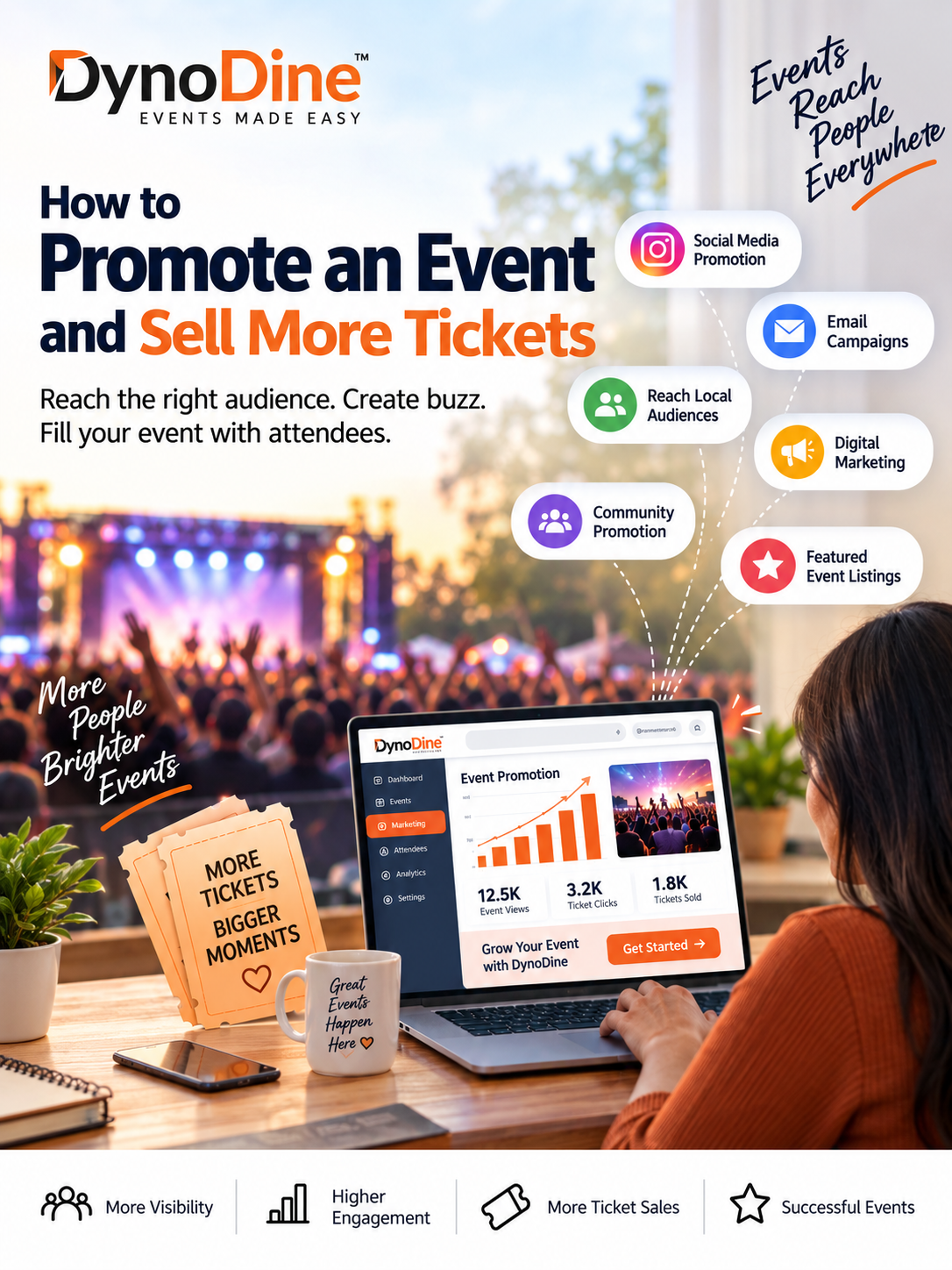
DynoDine can help increase event visibility through multiple promotional opportunities, including social media, digital marketing, email campaigns, local event promotion, event discovery, and other relevant channels.
Depending on the event and available promotional opportunities, this may include:
- Social media promotion
- Email marketing campaigns
- Visibility through the DynoDine platform
- Local and community event promotion
- Digital marketing campaigns
- Relevant audience promotion
- Partner or influencer promotion where applicable
- Featured event visibility where applicable
The goal is simple: help more relevant people discover your event and make it easier for them to access your event and ticket information.
Sell Event Tickets Online
When people discover your event, they should be able to move from interest to purchasing a ticket without an unnecessarily complicated process.
With DynoDine, you can make your tickets available online and create different ticket options based on your event.
For example, you may offer:
- Early Bird Tickets — Encourage attendees to book earlier.
- General Admission Tickets — Provide standard entry to your event.
- VIP Tickets — Offer premium access or additional benefits.
- Custom Ticket Types — Create ticket options that fit your event requirements.
This makes DynoDine suitable for different types of events, from community gatherings and cultural festivals to parties, entertainment events, workshops, and other ticketed experiences.
Manage Everything from Your Organizer Panel
Promotion and ticket sales are only part of running an event. Organizers also need a simple way to understand what is happening after their event goes live.
The DynoDine Organizer Panel gives you a central place to manage and monitor your event.
Depending on the features enabled for your event, your dashboard can help you keep track of:
- Ticket sales
- Registrations and attendees
- Ticket types
- Event capacity
- Guest and attendee information
- Check-in status
- QR code ticket verification
- Event performance
- Sales and registration activity
- Event-related reports and insights
Instead of jumping between different systems, important event information can be managed from one organized dashboard.
Make Event Check-In Easier
DynoDine can also help organizers manage attendees when the event day arrives.
Digital and QR code tickets can make ticket verification and check-in more organized. Event staff can verify attendee tickets and confirm entry, helping reduce unnecessary manual work and long check-in processes.
This connects the entire journey:
Event Promotion → Event Discovery → Ticket Purchase → Attendee Management → QR Check-In → Event Reporting
Spend More Time on Your Event, Not Multiple Tools
Running an event already involves planning the venue, entertainment, vendors, guests, schedules, staff, and many other details.
Event promotion and ticket management shouldn't make that process even more complicated.
DynoDine brings together the tools organizers need to promote events, sell tickets online, manage attendees, track activity, and organize event entry from one platform.
Turn Your Event Into an Experience People Can Discover
Whether you're organizing a small local event or a larger public event, reaching the right audience can make a major difference.
With DynoDine, you can:
Create your event. Promote it online. Reach more people. Sell tickets. Manage attendees. Track your event.
All from one platform.
Ready to Promote Your Event?
Create your event on DynoDine, publish your tickets online, and use the Organizer Panel to manage your event from promotion through check-in.
Your event deserves to be discovered. DynoDine helps you put it in front of more potential attendees.
Want to know the complete end-to-end process of how to sell tickets online? Click here for the Complete Step-by-Step Guide.